
In a world where getting lost feels like a rite of passage, sending your location on an iPhone can be a game changer. Imagine your friend wandering around aimlessly, desperately trying to find that trendy café while you sip on your latte, knowing you could save them with just a few taps. It’s like being a superhero, but without the cape and questionable spandex.
Understanding Location Sharing on iPhone
Location sharing on iPhone simplifies helping others navigate to specific locations. Utilizing this feature enhances real-time communication and coordination.
Importance of Sharing Your Location
Sharing location enhances social interactions. Friends can meet without confusion, saving time and frustration. It’s especially useful in crowded areas or during events. Family members can keep track of each other’s whereabouts, promoting safety and connection. This capability fosters timely responses to friends in need. For example, an individual can easily direct someone to a nearby café or point of interest when they don’t know the area well. Ultimately, shared locations create convenience and reduce anxiety in social situations.
Safety Considerations
Prioritizing safety is crucial while sharing locations. Users can control who sees their location, ensuring privacy. Enable location sharing temporarily, especially in unfamiliar settings or with strangers. It’s wise to stop sharing after reaching the intended destination. In emergencies, location sharing can significantly assist first responders. Be aware of potential risks, like oversharing personal details. Understanding these safety measures helps users maximize the benefits of location sharing while minimizing vulnerabilities.
Methods to Send Your Location
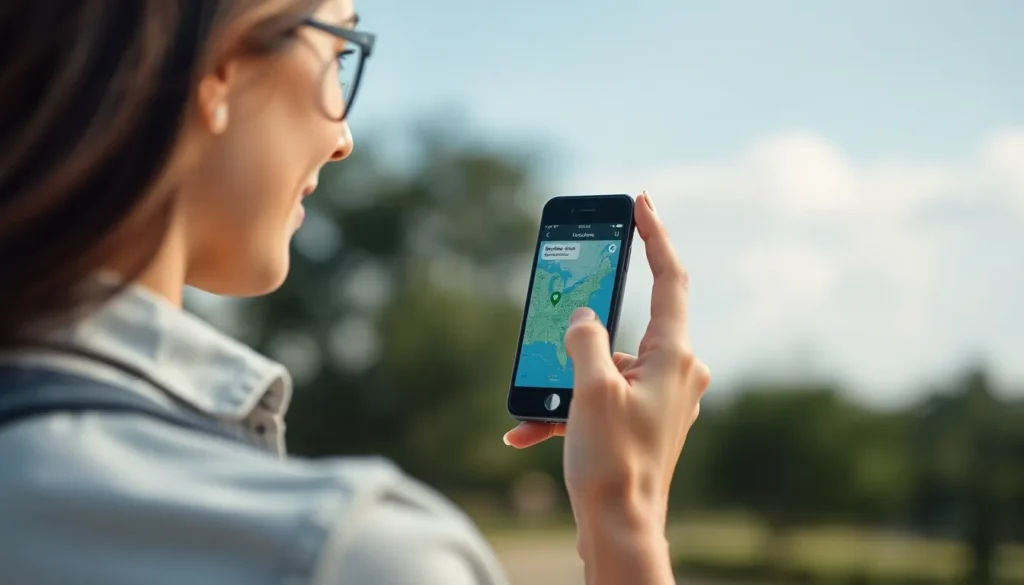
Sending a location on an iPhone can occur in several ways, each designed for convenience and ease of use.
Using Messages
Messages allows users to quickly share their location with contacts. Open a conversation and tap the information icon in the upper right corner. Select “Share My Location” and choose either to share for one hour, until the end of the day, or indefinitely. Recipients receive a map link that directly shows the sender’s precise location. This feature simplifies meeting logistics and ensures that friends can find each other easily.
Using Maps
Maps offers another efficient method for sharing location details. Launch the Maps app and search for a specific destination. Tap on the share icon at the bottom of the screen. From the menu, select a messaging platform or email to share the location. This action provides recipients with direct access to the location, helping them navigate without confusion. Users can utilize this feature for sending addresses of local businesses, events, or personal meeting spots.
Using Find My App
The Find My app provides an additional option for sharing location in real-time. Open the app and select “Share My Location.” Then choose contacts with whom to share this information. This method allows for continuous sharing as long as the user keeps the feature activated. By using Find My, individuals can keep track of friends and family during outings or ensure safety while traveling in unfamiliar areas.
Troubleshooting Location Sharing Issues
Location sharing might sometimes encounter hiccups. Understanding common problems and their solutions can ensure smooth communication.
Common Problems
Inconsistent GPS accuracy often leads to incorrect location sharing. Permissions not enabled for the relevant apps may cause location sharing features to malfunction. Background app refresh disabled may prevent essential updates, impacting real-time location. Battery-saving modes can limit location services, creating delays in sharing. Connections to Wi-Fi or cellular data might become unstable, affecting the accuracy of shared location.
Solutions to Fix Issues
First, check location settings to ensure permissions are granted for relevant apps. Enabling background app refresh can also enhance performance. Users should consider switching off battery-saving modes during critical sharing times. Restarting the iPhone often resolves connectivity issues, restoring accurate location sharing functionality. Additionally, ensuring a stable Wi-Fi or cellular connection can significantly improve location accuracy. Finally, updating the iPhone’s software keeps features operating smoothly and securely.
Tips for Efficient Location Sharing
Efficient location sharing enhances communication and ensures safety during meet-ups. By customizing settings and managing how long the location is shared, users can effectively control their privacy.
Customizing Location Settings
Adjusting location settings allows users to personalize their sharing experience. Users can choose to share their location through various apps, including Messages, Maps, and Find My. Each app provides different options for visibility. Access these settings under Privacy in the iPhone’s main settings. From there, individuals can enable or disable location services for specific apps. This flexibility helps manage who sees shared locations. Users can also select “While Using the App” or “Always” for location access, tailoring permissions based on trust and necessity.
Setting Time Limits on Location Sharing
Establishing time limits on location sharing enhances control over personal privacy. Users can share their live location temporarily, making it ideal for specific situations like meeting friends for an event. In the Find My app, select “Share My Location” and choose a duration option such as One Hour or Until End of Day. This feature ensures location visibility is not permanent. Frequently revisiting and adjusting these settings helps maintain security while facilitating communication. Users can feel confident knowing their location is only visible for a designated time, reducing anxiety about oversharing.
Sharing your location on an iPhone is a powerful tool that enhances communication and safety. It allows users to effortlessly guide friends or family to specific destinations while ensuring everyone stays connected. With options like the Messages app, Maps app, and Find My app, sharing is straightforward and adaptable to various needs.
By managing location settings and sharing duration, users can maintain their privacy while still being available for coordination. This feature not only simplifies meet-ups but also provides peace of mind in unfamiliar situations. Embracing these capabilities can transform how individuals navigate their social interactions, making it easier to connect and collaborate in real-time.